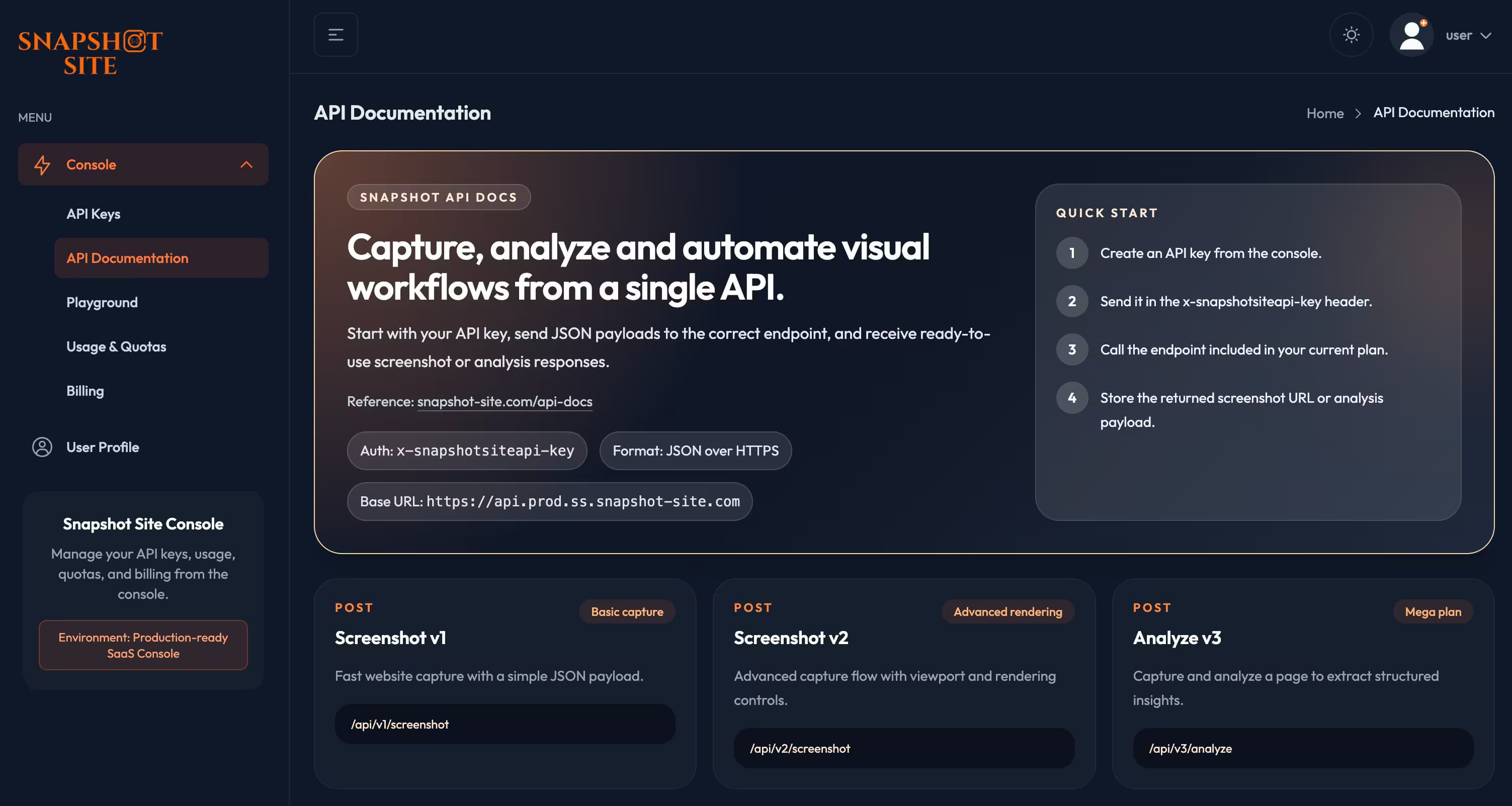
Introducing console.snapshot-site.com: A New Home for API Keys, Usage, Billing and Testing

Snapshot Site Team
28 Mar 2026 - 03 Mins read
We just launched console.snapshot-site.com, a dedicated workspace for developers and teams using the Snapshot Site API.
The goal is simple: make it easier to manage access, understand usage, handle billing, and test requests without jumping between tools.
If Snapshot Site is becoming part of your workflow, the console gives you a faster and more reliable way to operate it day to day.
What is console.snapshot-site.com?
console.snapshot-site.com is the new control center for your Snapshot Site account.
Instead of treating the API as a standalone endpoint, the console gives you a complete product layer around it:
- API key management
- usage and quota tracking
- billing and plan visibility
- integrated API documentation
- a live Playground to test requests directly in the browser
It is designed to reduce friction for both individual developers and teams running Snapshot Site in production workflows.
Why we launched it
As Snapshot Site usage grows, the operational side matters as much as the API itself.
Teams need to answer practical questions quickly:
- Which key is active?
- How much usage is left this month?
- Which plan is currently attached to the account?
- Is a given endpoint included in the current plan?
- What does a real request look like before shipping it into code?
The console brings those answers into one place.
What you can do in the console
1. Manage API keys
Create, rotate, and revoke API keys from the dashboard.
This makes it easier to separate environments, limit exposure, and keep operational access clean over time.
2. Track usage and quotas
The console surfaces request usage and quota information so you can understand how your account is performing during the current billing cycle.
This is especially useful for:
- production monitoring
- internal reporting
- capacity planning
- avoiding surprise overages
3. Review billing and plans
You can inspect plan details, review limits, and manage billing-related actions without leaving the product.
That makes the commercial side of API operations much more transparent.
4. Read the API docs in context
The integrated API documentation keeps endpoint details, request schemas, response examples, and authentication guidance close to the rest of the console.
This is faster than switching between account tooling and external documentation tabs.
5. Test requests in the Playground
One of the most useful additions is the new Playground.
It works like a lightweight Postman inside the dashboard:
- choose an endpoint
- paste your API key
- edit the JSON payload
- send the request
- inspect the live response
This is ideal for validating payloads before wiring them into scripts, apps, or automation workflows.
Built for real operational workflows
The console is not just a visual layer.
It is built to support the actual lifecycle of API usage:
- onboarding a new account
- testing endpoint access
- tracking consumption
- managing credentials
- moving from experimentation to production
For many teams, that operational layer is what turns an API from “usable” into “adoptable”.
What this means for Snapshot Site users
With console.snapshot-site.com, Snapshot Site becomes easier to work with at every stage:
- faster onboarding
- cleaner key management
- better visibility into usage
- simpler billing access
- easier experimentation with real API calls
It gives teams a clearer path from first request to production deployment.
Start using the new console
If you already use Snapshot Site, the console is the best place to manage your account and test the API.
If you are just getting started, it is also the fastest way to understand how the platform works in practice.
Visit:
And if you want to explore the public product site first, you can still browse:
Snapshot Site keeps improving the developer experience around visual capture, analysis, and automation.
The console is a big step in that direction.