Visual Diff API for QA, Release Reviews, and Web Change Monitoring

Snapshot Site Team
29 Mar 2026 - 03 Mins read
Most teams do not struggle to take screenshots. They struggle to answer a more important question:
What changed between the last good version and the version we are about to ship?
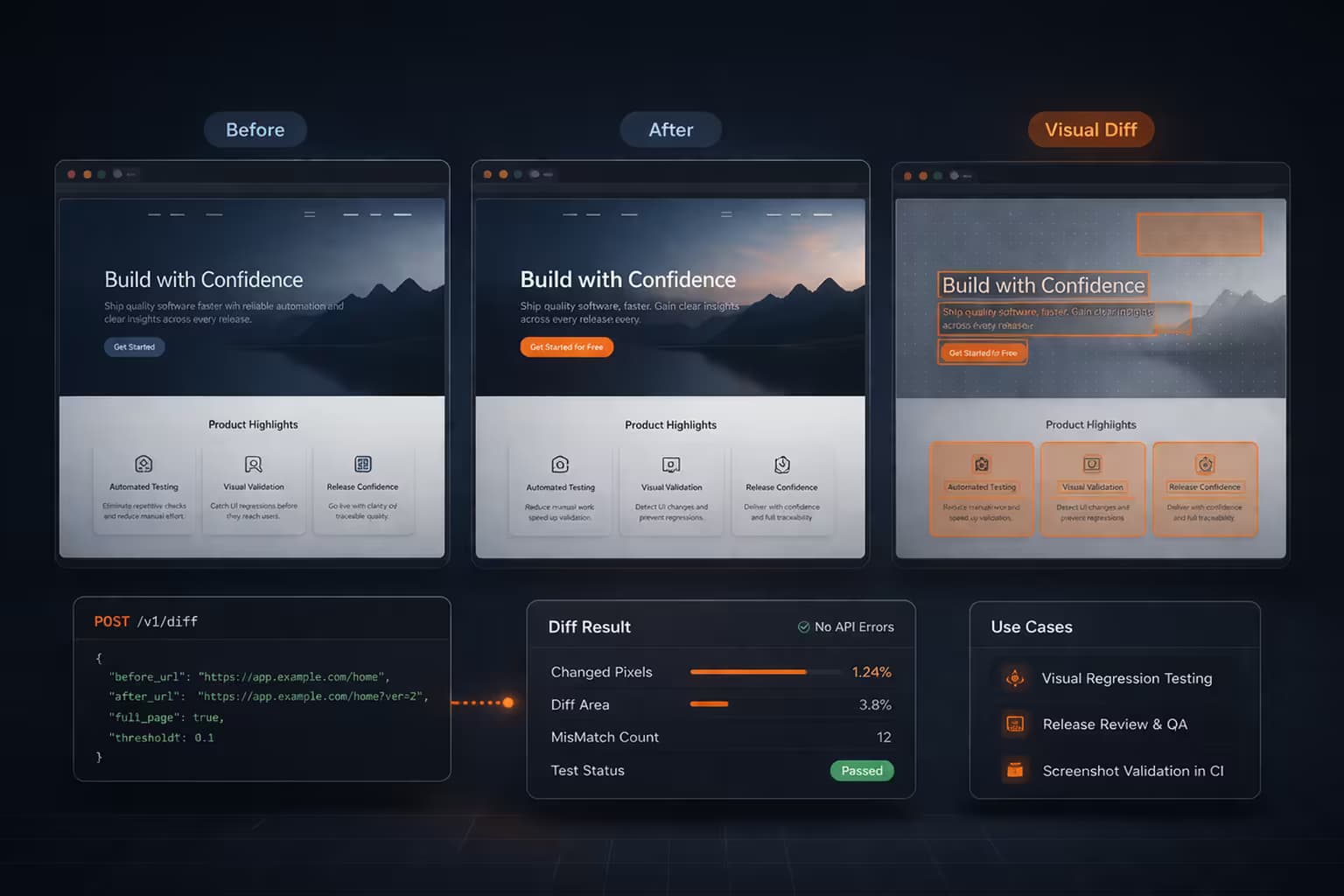
That is exactly what the Snapshot Site Visual Diff API is built for. Instead of manually comparing two screenshots side by side, you send two states, get back a third image that highlights the differences, and attach a mismatch percentage your team can act on.
What the Visual Diff API Does
The API compares two captures and returns:
- a before image
- an after image
- a diff image that highlights changed regions
- summary metrics such as mismatch pixels and mismatch percentage
That turns screenshot infrastructure into a practical release-review and regression-review workflow.
Why This Matters
Modern websites change constantly:
- landing pages get updated before campaigns launch
- dashboards shift because of component or CSS regressions
- pricing pages change without every stakeholder seeing the final result
- monitored pages evolve visually even when HTML diffs are noisy or useless
Teams usually patch around this with screenshots in Slack, manual review, and “looks good to me” approvals. That process does not scale.
The Visual Diff API gives teams a cleaner signal.
Three Immediate Use Cases
1. QA and Release Reviews
Compare production against staging before a deployment and flag pages with meaningful visual changes.
Useful for:
- login and signup flows
- pricing pages
- product pages
- dashboard views
- checkout states
Instead of asking reviewers to scan two long screenshots manually, the diff image shows where to look first.
2. Growth and Landing Page Approvals
Growth teams often update hero sections, CTAs, pricing blocks, and layouts under deadline pressure. The Visual Diff API makes those changes reviewable before paid traffic is sent to the page.
This is especially useful when:
- copy changed in several places at once
- mobile and desktop layouts need separate validation
- multiple stakeholders want proof of what actually changed
3. Archive and Compliance Workflows
Sometimes the important question is not “did the page load?” but “did the page look different from last week?”
That is where visual diff is better than raw HTML comparison. It highlights actual rendered changes, not just markup churn.
What Makes It Useful in Practice
- One simple endpoint: send
beforeandafterstates toPOST /api/v3/compare - Works with live URLs or existing PNG captures: use the workflow that fits your stack
- Diff image included: easier to share with product, QA, and marketing teams
- Mismatch percentage included: useful as a triage signal in CI or review checklists
Example Workflow
- Capture the current production page
- Capture the new staging version
- Generate a diff image
- Review the mismatch percentage
- Send the three image URLs into Slack, CI, or a release checklist
That workflow is simple, but it removes a surprising amount of friction from launch reviews.
Why Visual Diff Beats Manual Screenshot Review
Manual screenshot comparison is slow and error-prone on long pages. Reviewers miss spacing issues, duplicated blocks, subtle regressions, and hidden component shifts.
Visual diff gives you:
- faster triage
- clearer review artifacts
- easier collaboration across technical and non-technical teams
- a repeatable way to inspect visual changes
It is not just a debugging tool. It is a communication tool for releases.
Explore the Visual Diff API
If you want to see the endpoint, request format, response payload, and product walkthrough, go here:
Once compare checks are running regularly, the next question is usually how sensitive the diff should be — see Tuning the threshold Parameter in the Visual Diff API for picking a number that doesn't cry wolf on every release.
If your team already relies on screenshots for QA, launch reviews, or monitoring, adding a diff layer is one of the fastest ways to make those workflows more useful.