Browserless alternative

Browserless alternative: Snapshot Site

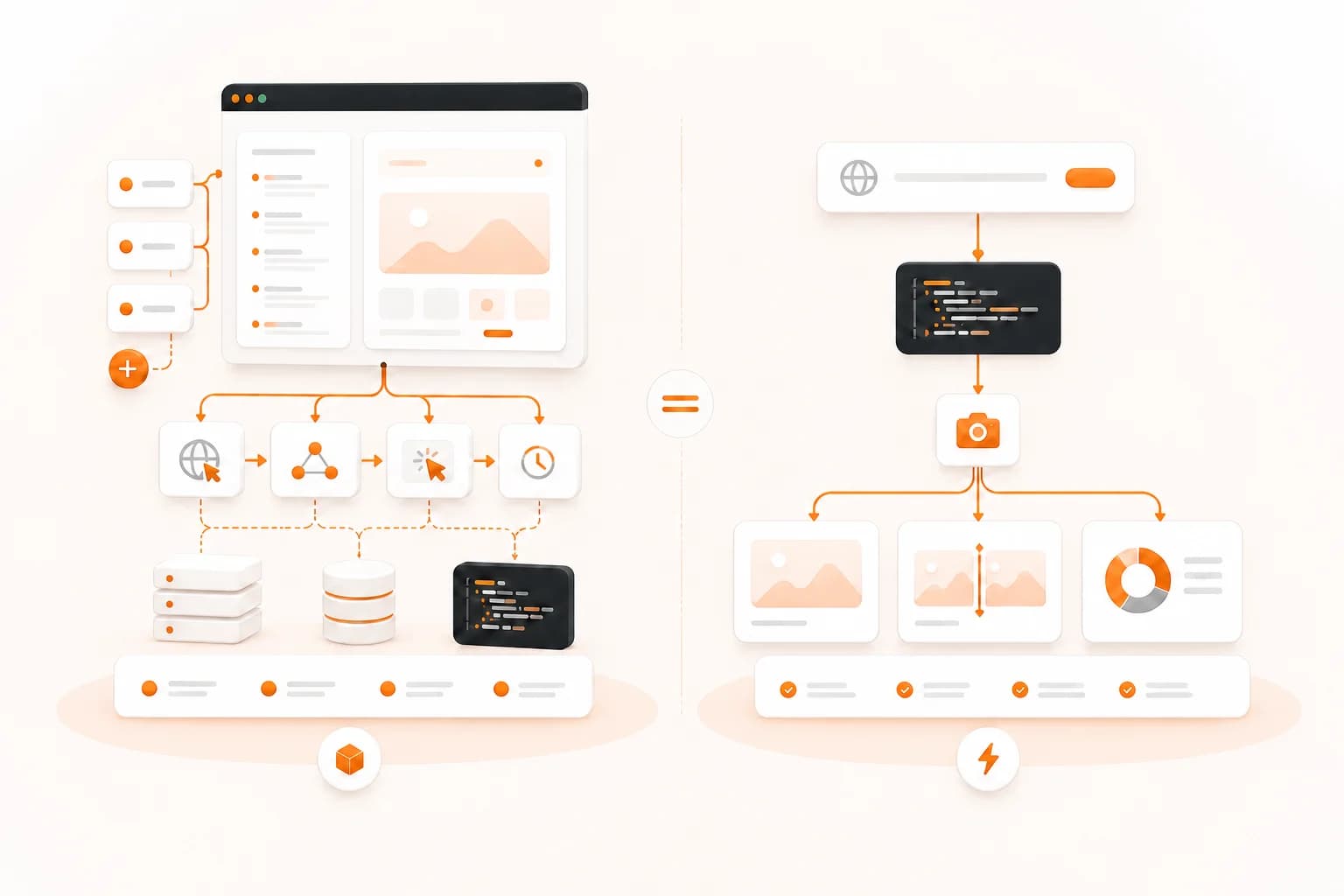
Browserless and Snapshot Site both remove browser infrastructure from your application, but they expose different levels of control. Browserless gives your Puppeteer or Playwright code a remote browser. Snapshot Site gives your application focused capture, compare, and analyze endpoints. The right choice depends on whether you need to drive a browser session or consume a page result.

Comparison between a flexible remote browser automation workflow and a focused screenshot API workflow

Browserless vs Snapshot Site, by the numbers

Browserless bills in browser-time units, where one unit covers up to 30 seconds of a browser connection. Snapshot Site plans count API requests. Those units are not equivalent to screenshots, so compare the workflow and expected session duration before comparing included volumes.

 Snapshot SiteEURBrowserlessUSD
Comparable planUltra — €20/moPrototyping — $25/mo
Included monthly allowance15,000 / month captures20,000 / month units
Nominal cost per included item€0.0013 / capture$0.0013 / unit
Free tier50 captures / month, no card1K units / month, 2 concurrent browsers
Visual diff endpointNative POST /api/v3/compare — pixel mismatch score plus a hosted diff imageNot documented — No comparison endpoint — you would script the diff yourself
AI page analysisPOST /api/v3/analyze — summary, topics, quality signals, page metadataNot documented — No page-analysis endpoint
MCP serverHosted server at mcp.snapshot-site.com/mcp with OAuth sign-in — no local process, no key in the client configOfficial Browserless MCP server documented for MCP-compatible AI agents
PDF renderingformat: pdf on the screenshot endpointPDF generation via the REST API and via Puppeteer/Playwright
Output formatsPNG, JPEG, WebP, PDF, HTMLWhatever your script produces — PNG, JPEG, PDF, HTML
Official SDKsTypeScript, Python, PHP, CLI, MCP server, and an n8n node verified by n8nConnects as a remote browser for Puppeteer and Playwright in any supported language

Competitor pricing checked on 2026-08-06 on their official pages. Subject to change — verify at the source: https://www.browserless.io/pricing

Prices are shown in the currency each vendor publishes — Snapshot Site bills in EUR, Browserless publishes in USD. No conversion is applied, so the per-capture figures are not a like-for-like exchange-rate comparison.

  • · A unit is up to 30 seconds of browser connection time, not one screenshot — a slow page can consume several units, so unit counts are not directly comparable to capture counts.
  • · Advertised prices are for annual billing, described as a 30% saving over monthly.

What Snapshot Site does that Browserless does not

Snapshot Site narrows the browser surface into task-oriented endpoints. That lower ceiling is useful when the application needs a repeatable result rather than control over every navigation and interaction.

Visual comparison is a dedicated endpoint

POST /api/v3/compare accepts two live URLs or stored image sources and returns before, after, and diff information with mismatch metrics. With a remote browser, your code can create both screenshots, but baseline storage, normalization, pixel comparison, diff hosting, and threshold policy remain application responsibilities.

Rendered-page analysis is part of the API

POST /api/v3/analyze can return a screenshot with summary, topics, metadata, and quality signals. Browserless exposes a flexible browser and AI-oriented tools, but we did not find an equivalent fixed page-analysis response in the documented REST screenshot workflow. Check their current product when arbitrary browser or agent control is the requirement.

A smaller request model for capture products

A Snapshot Site capture is a JSON request describing URL, viewport, format, full-page mode, timing, and cleanup. The application does not own a Puppeteer or Playwright connection lifecycle. This is useful for preview generators, documentation captures, scheduled evidence, and other products where the browser is implementation detail.

Usage maps to API requests

Snapshot Site plans count requests. Browserless uses units based on browser connection time, with additional unit rules for proxies and CAPTCHA solving. Request counting can be easier to forecast for short, standardized capture jobs; unit billing can be more appropriate when one session performs many browser actions.

Important differences to consider

Browserless exposes full browser automation for workflows that require direct session control. Snapshot Site uses focused capture, comparison, and analysis endpoints instead of imitating a multi-step browser session.

It is a browser, not a screenshot endpoint

Anything Puppeteer or Playwright can do — log in, fill forms, walk a multi-step flow, intercept network calls — Browserless can do, because you are driving a real browser session. A screenshot API cannot match that ceiling and should not pretend to.

Session reuse and concurrency you control

Concurrency limits are explicit per tier, and you can keep a session alive across steps instead of paying for a cold render each time.

No lock-in on the automation layer

Your scripts are ordinary Puppeteer or Playwright. Moving them elsewhere, including to your own infrastructure, is a connection-string change.

Migrating from Browserless

If your Browserless integration only calls the REST screenshot endpoint, the request can often be simplified into a Snapshot Site capture call. If it connects Puppeteer or Playwright and performs navigation, login, form filling, or extraction steps, this is a redesign rather than a direct migration.

BrowserlessSnapshot SiteNotes
token query parameterx-snapshotsiteapi-key headerMove the credential from the request URL into a header.
urlurlThe target page remains a full URL with scheme.
options.typeformatChoose a documented Snapshot Site output such as png, jpeg, webp, or pdf.
options.fullPagefullSizeBoth select the complete scrollable page rather than the viewport.
Puppeteer viewportwidth and heightExpress the target viewport directly in the JSON request.
custom browser stepsNo direct mappingKeep Browserless when the workflow needs arbitrary session interaction.
Before — Browserless
curl --request POST \
  --url 'https://production-sfo.browserless.io/screenshot?token=YOUR_TOKEN' \
  --header 'Content-Type: application/json' \
  --data '{
    "url": "https://example.com",
    "options": {
      "type": "png",
      "fullPage": true
    }
  }' \
  --output page.png
After — Snapshot Site
curl --request POST \
  --url https://api.prod.ss.snapshot-site.com/api/v1/screenshot \
  --header 'Content-Type: application/json' \
  --header 'x-snapshotsiteapi-key: YOUR_API_KEY' \
  --data '{
    "url": "https://example.com",
    "format": "png",
    "width": 1440,
    "fullSize": true,
    "hideCookie": true
  }'

Browserless alternative: compare the abstraction first

Browserless is browser infrastructure as a service. Your code can connect through Puppeteer or Playwright, navigate, click, type, wait for selectors, reuse sessions, intercept network traffic, download files, and take screenshots at any point. Its REST APIs also provide shorter paths for common outputs such as screenshots and PDFs.

Snapshot Site is a result-oriented API. Your code describes the page state and requested output, then receives a screenshot, PDF, visual comparison, or AI-assisted analysis. It does not expose a general browser session.

This is the central decision. A screenshot API is not “Browserless with fewer features,” and a remote browser is not “an unnecessarily complicated screenshot API.” They place the automation boundary in different locations.

Choose Browserless for browser sessions

Use Browserless when the sequence of browser actions is part of the product. Examples include signing in, navigating a multi-step application, filling forms, collecting files, testing interactions, or executing custom Puppeteer and Playwright logic.

The application owns the script and therefore has a high control ceiling. It can adapt navigation rules, observe requests, preserve a session, and combine many actions before closing the browser. Browserless manages the browser fleet, regions, concurrency, session limits, and related infrastructure.

That flexibility also means the application owns more behavior. It must close sessions reliably, handle timeouts, decide how concurrency is bounded, and maintain the automation script when a target application changes.

Choose Snapshot Site for page outputs

Use Snapshot Site when the product needs a defined result from a URL:

  • a viewport or full-page screenshot;
  • a PNG, JPEG, WebP, or PDF output;
  • a before/after visual comparison and diff image;
  • summary, topic, metadata, or quality signals from the rendered page.

The request describes the state instead of the steps. Width determines responsive layout, fullSize selects the complete document, delay allows late content to settle, and cleanup options handle known overlays. There is no browser connection for the application to keep alive.

This smaller surface is useful when every custom browser action would become maintenance that does not differentiate the product.

Pricing units are not screenshot counts

Browserless currently defines one unit as up to 30 seconds of browser connection time. A longer session consumes another unit for each additional 30-second block. Its official pricing also documents separate unit consumption for some proxy traffic and successful CAPTCHA solving.

Snapshot Site plans count requests. A screenshot, compare, or analyze call is expressed as an API operation against the plan rather than browser connection time.

Do not divide the monthly price by the headline allowance and compare the resulting numbers as if both allowances meant screenshots. A Browserless session can perform several actions and perhaps create several outputs. A slow or long-running session can consume several units. Model your actual workflow:

  1. How many URLs or sessions run each month?
  2. How long does each remote session stay connected?
  3. How many outputs come from one session?
  4. Does the job use proxies or CAPTCHA solving?
  5. Does the application need comparison or analysis after capture?

The comparison table preserves each vendor's published currency and unit label. Verify current pricing at the official source before purchasing.

Operational responsibility

With a remote browser

The application controls session logic. It should close the browser in finally or equivalent cleanup code, apply a sensible timeout, and respect the plan's concurrency. A leaked session can occupy capacity until its timeout and consume more browser-time units.

Automation code needs observability: target URL, step, session status, elapsed time, and a sanitized error. Credentials used inside the target page require their own secret-handling and authorization model.

With a screenshot API

The application controls request logic. It validates the URL, sends capture options, checks the response, and stores or forwards the result. It should cache stable captures, avoid duplicate jobs, and apply bounded retries to transient failures.

The smaller model reduces session lifecycle work, but it does not remove application responsibilities. URL authorization, output access, data retention, and workflow errors still belong to the product.

Visual regression and monitoring

Browserless can create the screenshots needed for visual testing because Puppeteer and Playwright expose screenshot methods. Your system then needs to normalize images, store an approved baseline, compare pixels, generate or host a diff, define thresholds, and route reviews.

Snapshot Site's Visual Diff API packages those comparison steps into POST /api/v3/compare. A website monitoring workflow can compare a scheduled live capture with a stored baseline and attach before, after, and diff context to an alert.

Choose the remote-browser path if visual comparison is one step inside a broader browser test that already exists. Choose the dedicated endpoint if comparison itself is the product requirement.

AI and agent workflows

Both products expose agent-oriented capabilities. Browserless documents an official MCP server and provides browser automation and scraping tools. Snapshot Site provides a hosted MCP server focused on capture, comparison, and analysis.

Snapshot Site also exposes a fixed AI website analysis response for rendered pages. Fixed fields are useful when application code expects a stable schema. A flexible browser or agent is useful when the task cannot be reduced to that schema.

Evaluate the actual client, authentication flow, tool list, and expected output. “Has MCP” is not enough to show that two integrations solve the same task.

Migration decision framework

Inventory current Browserless jobs and place each into one of three groups.

Output-only jobs

The script opens one URL and creates a screenshot or PDF without meaningful interaction. These are the strongest candidates for a focused API. Reproduce the width, full-page choice, format, timing, and cleanup in Snapshot Site and compare the real outputs.

Output plus post-processing

The script captures a page and then compares, classifies, or summarizes it. These jobs may become simpler if the post-processing maps to Snapshot Site's compare or analyze endpoint. Confirm that the returned fields match the product requirement before removing custom logic.

Session automation

The script logs in, follows a flow, changes page state through interaction, or reuses a browser session. Keep it on Browserless unless the workflow is intentionally redesigned. Replacing a capable automation with a capture endpoint would remove required behavior.

Security considerations

Both services use credentials that must remain server-side. A Browserless token in a connection URL can appear in logs if URLs are recorded carelessly. A Snapshot Site API key belongs in the request header and must not be exposed to browser code.

When automation signs into third-party applications, protect those credentials separately and confirm the workflow is authorized. Restrict access to screenshots, downloads, and analysis results according to the source data. Sanitize target URLs before logging them.

Common evaluation mistakes

  • Comparing Browserless units directly with Snapshot Site requests.
  • Choosing a screenshot API for a workflow that needs arbitrary interaction.
  • Keeping Puppeteer session code for a job that only needs one image.
  • Ignoring browser cleanup, timeouts, and concurrency when estimating Browserless operations.
  • Comparing feature names without comparing output schemas and authentication.
  • Migrating every automation at once instead of testing representative jobs.
  • Presenting one vendor as universally better despite different abstraction levels.

Start with two real jobs: one output-only capture and one interaction-heavy session. Their implementation and operating model will make the boundary clearer than a generic feature checklist.

For the Snapshot Site side, review the website screenshot API, full-page capture, API documentation, and pricing before testing.
Frequently asked questions

Is Snapshot Site a drop-in replacement for Browserless?

Only for focused output workflows such as REST screenshot capture. It is not a drop-in replacement for Puppeteer or Playwright sessions that log in, click through flows, intercept requests, or run arbitrary browser automation.

How does Browserless pricing differ from Snapshot Site pricing?

Browserless uses browser-time units, with one unit covering up to 30 seconds of a connection and additional rules for some services. Snapshot Site plans count API requests. The included quantities are not directly comparable.

Which product is better for Puppeteer or Playwright?

Browserless is designed for remote Puppeteer and Playwright sessions. Keep that model when existing automation code requires full browser control.

Which product is simpler for a screenshot endpoint?

Snapshot Site uses a focused JSON request for capture and does not require your application to manage a browser session. Browserless also provides a REST screenshot API, so test both with the real capture requirements.

Do both products support PDF output?

Yes. Browserless documents PDF generation through its REST API and browser automation surfaces. Snapshot Site accepts format: pdf on the screenshot request.

Does Browserless have an MCP server?

Yes. Browserless documents an official MCP server for compatible AI agents. Snapshot Site also provides a hosted MCP server; compare the exposed tools and authentication flow for your client.

When should I stay with Browserless?

Stay when the application needs arbitrary interactions, session reuse, explicit browser concurrency, custom Puppeteer or Playwright code, or a path to Browserless self-hosting.

How should I evaluate a migration?

Classify each job as output-oriented or session-oriented. Test output jobs against both services, and leave session-oriented automation on a remote browser unless the workflow can be deliberately simplified.

Use the API shape that matches the job

If your application needs an image, diff, or page analysis result, test Snapshot Site with representative URLs. If it needs to drive the browser, Browserless may remain the better boundary.