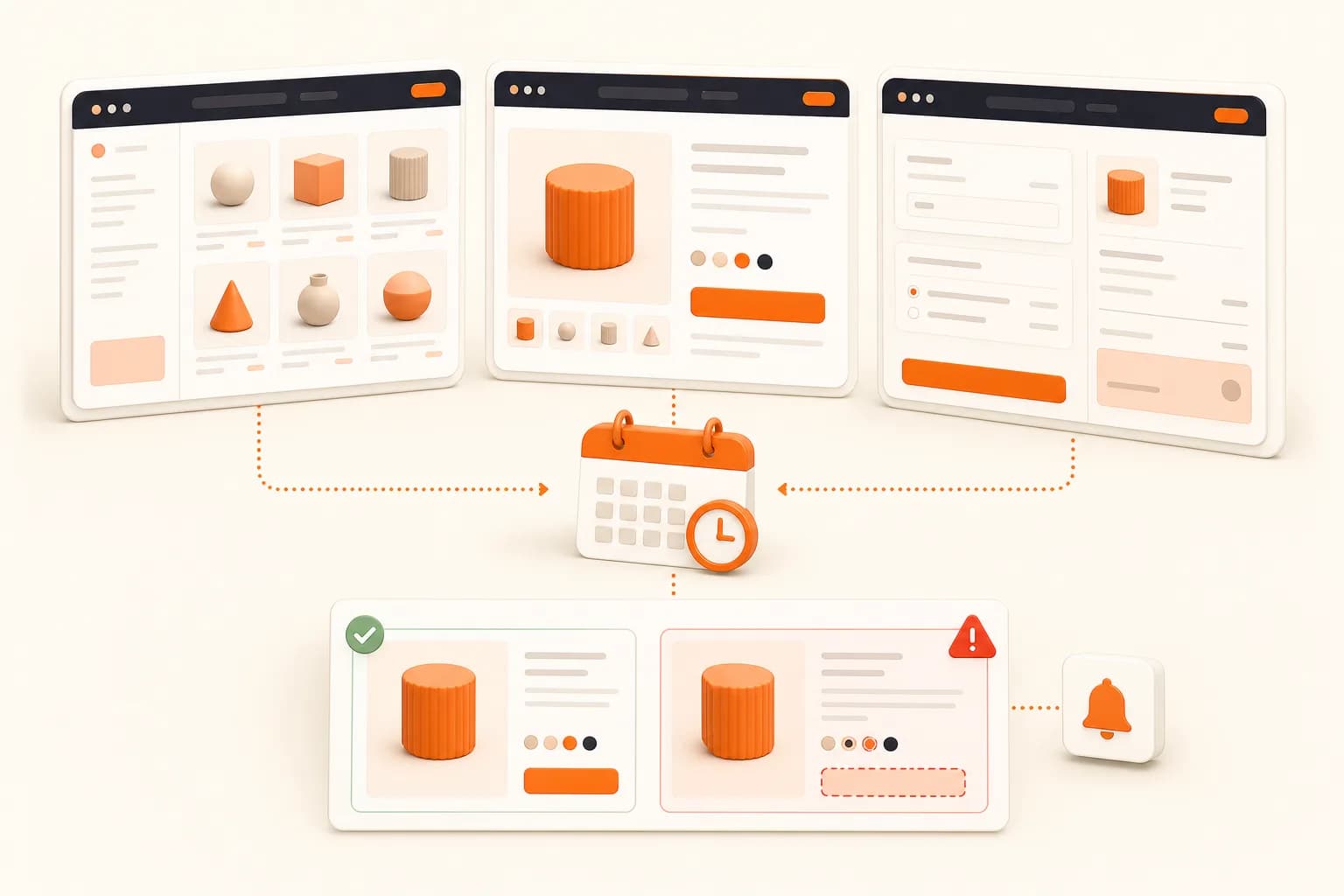
Ecommerce pages change through many systems
A storefront is rarely owned by one deployment. Product feeds, pricing systems, inventory services, recommendations, reviews, experimentation, tag managers, consent tools, payment integrations, and campaign configuration can all change the visible page. An HTTP status check may remain green while a grid is empty, an image is missing, a promotion covers the action, or a mobile layout collapses incorrectly.
Visual monitoring records the state produced by those systems together. It is not a replacement for catalog validation or functional checkout tests. It adds evidence about what a customer-facing browser rendered at a specific URL, viewport, and time.
Build a storefront state matrix
Cover shared templates
Choose a representative category page, product detail page, campaign landing, cart, and approved checkout preview. Add edge cases that stress the layout: a long product name, unavailable product, missing secondary image, large discount message, empty result, and a category with many filters.
This matrix catches more template risk than a random sample of hundreds of ordinary products. Add specific high-revenue products or campaign pages when their business importance justifies separate coverage.
Keep data stable enough to compare
Live prices and inventory can change legitimately. Decide whether those changes are part of the monitoring objective. If the goal is layout QA, use stable fixtures or hide live counters. If the goal is pricing review, keep the region visible and route the diff to someone who can verify it against the catalog source.
Recommendations and personalization are common sources of noise. A signed-out generic state, deterministic test account, or stable staging fixture is better than a random visitor session. Document excluded regions so the team understands the monitor's blind spots.
Maintain separate responsive histories
Mobile storefronts can have different galleries, sticky actions, filter drawers, navigation, and content order. Approve a baseline at each selected viewport and compare only against the matching size. A desktop-to-mobile mismatch is expected and has no useful threshold.
Trigger checks around risk
Deployments and theme changes
Run the representative matrix after changes to templates, components, CSS, rendering libraries, or tag configuration. Attach diffs to the release review and fix failures close to the deployment that caused them.
Feed and integration updates
Catalog imports, pricing feeds, review providers, and recommendation engines can change without application code. Trigger captures after high-risk feed runs when the system exposes a completion event. Otherwise schedule a check at a cadence aligned with update frequency.
Campaign launches
Promotions often combine new content, targeting rules, timers, banners, and landing pages. Capture before activation, at launch, and after the campaign is removed. Increase cadence only during the active period and only when someone can respond.
Recurring checks
Use a Screenshot Scheduler for externally triggered recurring jobs. Protect against overlapping runs, spread large matrices across the available window, and retry only transient failures.
Interpret ecommerce diffs correctly
A changed image does not explain the source. A missing product card may result from a template regression, an empty feed, a regional response, a failed image CDN, or expected inventory state. Include source URL, target identifier, viewport, time, before image, after image, and diff image in the alert.
Route changes by ownership. Merchandising should review product order and promotional content. Engineering should review broken layout and rendering. Marketing should review campaign presentation. Commerce operations should verify inventory and price against structured systems.
Promote a new baseline only after a reviewer confirms the change is intended. Automatically accepting every new state can normalize a defect and erase the evidence needed to investigate it.
Functional tests still matter
A screenshot can show a populated cart and a visible checkout form. It cannot prove that adding an item works, totals are correct, tax is calculated correctly, inventory is reserved, or payment succeeds. Use Playwright, Puppeteer, or another browser test for interaction and business logic.
The Playwright Screenshot Guide explains how screenshots complement browser assertions. A useful release gate often combines functional tests with a small visual matrix: one checks behavior, the other checks presentation.
Security and privacy
Use synthetic data and dedicated preview states for account, cart, and checkout pages. Never store screenshots containing real payment details, addresses, order history, or other personal data without an explicit approved purpose and retention policy.
Keep the API key in a backend or automation secret manager. Avoid credentials in target URLs, sanitize logs, and restrict who can modify target lists or page-preparation scripts.
For external marketplace or competitor sources, apply the additional permissions and frequency controls described in Competitor Monitoring. Monitoring a storefront you operate and collecting another organization's pages are not the same governance problem.
Performance and storage
Full-page product and category images can be tall. Use viewport capture when the initial fold or sticky action is the only review target. Generate full-page output only for states where lower modules matter.
Queue the matrix, cap concurrency, cache approved assets, and keep routine unchanged captures for a shorter period than incident evidence. Store configuration and timestamps with each retained image so it can be reproduced.
Ecommerce monitoring checklist
- Select representative templates and high-risk edge cases.
- Approve separate mobile and desktop baselines.
- Decide which live data regions belong in the comparison.
- Trigger after deployments, feeds, integrations, and campaigns.
- Attach complete visual context and ownership to alerts.
- Keep functional checkout tests alongside visual checks.
- Use synthetic data for account and payment-related states.
- Promote new baselines only after review.