Extract Job Listings from Career Pages with n8n and AI

Snapshot Site Team
31 Jul 2026 - 07 Mins read
Almost nobody hand-codes a job list any more. Open a company's /careers page, view source, and what you usually find is a <div id="grnhse_app"> or a <div data-teamtailor-widget> and a script tag — an empty container waiting for Greenhouse, Workday, Lever, SmartRecruiters or Teamtailor to fill it in from somewhere else. The roles you can see in the browser exist nowhere in the markup that was served.
That makes career pages the single strongest case for rendering before extracting, and it's the reason our newest template on the n8n gallery is worth its own write-up rather than a copy-paste of the last two. It shares its skeleton with the business directory listings extractor and the real estate listings extractor — read the directory post for the node-by-node tour, the fan-out mechanics and the quota arithmetic. This one is about what's genuinely different when the thing you're extracting is a job.
The pipeline, compressed
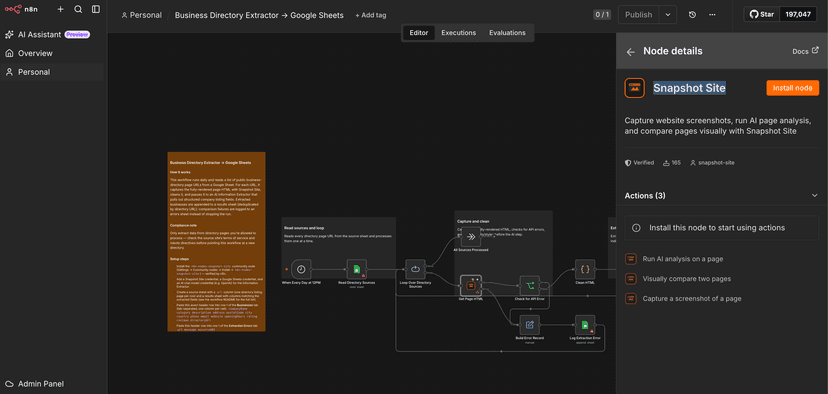
When Every Day at 9AM fires, Read Job Sources pulls a Job Sources tab (literal url header in row 1, one career page URL per row below), and Loop Over Job Sources walks them one at a time. Get Page HTML is the Snapshot Site node's Screenshot operation with format: "html" and delay: 5, wrapped in retryOnFail with three tries five seconds apart plus an error output; Check for API Error catches the soft failures that arrive on the success output with error: true in the body. Either failure path runs Build Error Record → Log Extraction Error into an Extraction Errors tab (url, message, occurredAt) and returns to the loop. On the happy path, Clean HTML strips <script>, <style>, <svg> and comments, collapses whitespace and truncates to 100,000 characters; Extract Job Fields (n8n's Information Extractor, backed by an OpenAI chat model — the shipped Extraction Model node is set to gpt-4o-mini, and any GPT-4o-class model drops in unchanged) fills a hand-written schema; Split Job Offers explodes output.jobs; and Save Job Offers append-or-updates into a Job Offers tab.
Twelve fields per job: jobTitle, company, location, country, employmentType, workMode (the schema tells the model to answer Remote, Hybrid or On-site), salary, experienceLevel, skills, publicationDate, applicationUrl, summary.
Two gotchas carry over from the sibling templates and are documented there: html is a node-level format rather than a documented REST format value, and delay is in seconds despite the millisecond label in the node UI.
Why the settle delay is load-bearing here specifically
On a static directory page, a five-second delay is insurance. On a career page it's frequently the difference between twenty jobs and zero.
The sequence on an ATS-backed page goes: HTML arrives with an empty mount point, the widget script loads, it calls the ATS API, the response comes back, the list renders. A plain HTTP fetch stops at step one and hands you a container. Snapshot Site runs a real browser, and the five-second delay gives the widget time to finish — so Clean HTML receives the markup a visitor would actually see. That's the same argument as HTML Scraping vs Screenshot API: Why Pixels Are More Reliable Than the DOM, except that here there is no fallback selector to write. There is no markup to select from until the browser does its work.
That also changes how a partial capture fails. A half-rendered listing page costs you one wrong field; a half-rendered career page costs you the entire run for that company, silently, because an empty container extracts cleanly to an empty jobs array and no error fires anywhere. If a source consistently yields zero jobs, the first thing to try is raising delay toward the maximum of 10 and re-running manually — the general reasoning behind that knob is in Waiting for Lazy-Loaded Images and Animations Before Taking a Screenshot. The retryOnFail policy on Get Page HTML matters for the same reason: a widget that times out once at 9 AM will usually resolve on the second attempt five seconds later.
There is one boundary worth being honest about. Some ATS integrations don't inject into the page at all — they render inside an iframe served from a different host. Capturing the parent career page gets you the frame element and not what's inside it, and no amount of delay fixes a cross-origin boundary. The fix is a source-list fix, not a settings fix: point the row at the ATS-hosted board URL directly (boards.greenhouse.io/company, jobs.lever.co/company, company.teamtailor.com/jobs and so on) instead of the marketing page that embeds it. Those boards are themselves JavaScript-rendered, so you still need the render — you're just aiming it at the document that actually contains the jobs.
applicationUrl is the dedup key this pattern always wanted
Save Job Offers matches on applicationUrl, and this is the one field type where that choice is genuinely comfortable. The directory template struggles because a listing's own URL on a directory is often a relative href that the model resolves inconsistently, which quietly collapses forty rows into one. An apply link doesn't have that problem: it points at a specific requisition, it's unique by construction because the ATS needs it to be, and it's usually absolute in the markup because the widget was built to hand it to third-party job boards.
Two caveats still apply. First, tracking parameters. Plenty of ATS boards append a source or session parameter to the apply link — ?gh_src=, ?utm_source=, sometimes a per-visit token. If that value changes between runs, append-or-update sees a new key and writes a duplicate row for a job you already have, every single day. Run the workflow manually once, look at the applicationUrl values coming out of Split Job Offers, and if you see volatile query strings, strip them: one extra line in the Clean HTML node's neighbourhood or a small Set node before Save Job Offers that cuts everything from ? onward is enough.
Second, the relative-href risk hasn't disappeared entirely — some in-house career pages link roles as /careers/123, and a bare path is not a unique key across companies. If two different employers both use /careers/1, they'll overwrite each other. Checking the split output once tells you which world you're in, and that check takes two minutes against a run that's going to execute unattended for months.
Jobs expire, and nothing in this workflow notices
This is the difference that actually bites, and it isn't about capture at all.
A business address stays true for years. A property listing goes stale slowly and visibly. A job requisition gets filled, withdrawn, put on hold or quietly deleted — often within weeks — and append-or-update never deletes a row. It writes and it updates. So a role that was closed in March sits in your Job Offers tab in July looking exactly as open as the one posted yesterday, with the same publicationDate it always had. If you're using the sheet to brief anyone, or feeding it into a job board, stale rows aren't noise: they're the whole output being wrong in a way that reads as correct.
The shipped template does not solve this for you, and it's better to say so plainly than to pretend the dedup key covers it. The practical handling is a freshness column. Add a lastSeenAt field to the Job Offers tab and set it in a Set node before Save Job Offers ({{ $now.toISO() }}) so every row records the last run in which the job was still on the page. Because the write is an upsert on applicationUrl, rows for jobs that disappeared simply stop being touched — and any row whose lastSeenAt predates your most recent successful run is, with high confidence, a closed requisition. From there it's a filter view, a conditional format, or a second small workflow that marks them closed.
The confidence qualifier matters: a capture that failed, or a render that returned an empty container, also leaves rows untouched. That's why the Extraction Errors tab isn't decoration. Check it before you trust an absence, or you'll mark a company's entire pipeline closed because their widget was slow that morning. The mirror image of this problem — a posting that's already closed but still rendering as open on a board you don't control — is the subject of Keeping Job Board Syndication Pages Accurate, and it's worth reading if your interest in job data is operational rather than analytical.
What it's for, and what not to collect
The obvious use is talent-market intelligence: tracking which roles a set of companies is opening, at what seniority, in which locations, and with what salary bands disclosed — a question with its own legal weight in a growing number of jurisdictions, which is the subject of Archiving Job Postings for Pay Transparency Compliance. Hiring is a leading indicator — a competitor staffing up a team you don't have tells you something a press release won't, and it tells you months earlier. Beyond that: recruiters building a live pipeline of open requisitions in a niche, and anyone assembling a specialised job board who'd rather maintain a sheet of source URLs than a scraper per ATS.
Before you add a single source row, two checks that are not optional. Terms of service and robots directives. Career pages tend to be more permissive than the directories in the sibling post — most companies want their jobs indexed and syndicated — but ATS-hosted boards are commercial products with their own terms, and those terms often restrict automated collection regardless of what the employer wants. Read them per host, respect the robots directives, and if a board says no, drop the row rather than slowing the schedule.
And personal data. A job posting is business data. A recruiter's name, direct email or phone number inside that posting is personal data, and under the GDPR it doesn't stop being personal data because it appeared on a public page. The shipped schema deliberately has no contact fields, and the right instinct if you extend it is to leave it that way: collect the requisition, not the person. Don't collect what you don't need, and don't build a contact list out of a hiring-intelligence pipeline by accident.
Setup
You'll need the community node plus three credentials: install n8n-nodes-snapshot-site — the verified n8n node, installable on Cloud and self-hosted alike — then add a Snapshot Site API credential, a Google Sheets OAuth2 credential, and an OpenAI key for the chat model. Build the spreadsheet first: three tabs, Job Sources, Job Offers, Extraction Errors, with their header rows already typed in, because Google Sheets can only map columns that physically exist. Then import workflow.json and attach credentials.
Then do the one thing the JSON cannot do for you. n8n's columns parameter is a resourceMapper, and no hand-authored workflow file can pre-populate it — Log Extraction Error and Save Job Offers will both land on "Map Each Column Manually" with an empty Values to Send, and the run dies on At least one value has to be added under 'Values to Send'. Open each of those two nodes and switch Mapping Column Mode to Map Automatically. Because the header rows you just typed match the extracted field names exactly, that's the entire fix — one dropdown each, no manual field entry. Point the Sheets nodes at your document, then activate.
If you'd rather track a hiring market from a spreadsheet than from thirty browser tabs, grab an API key from Snapshot Site and import the template into your n8n instance today.