Extract Real Estate Listings into Google Sheets with n8n and AI

Snapshot Site Team
22 Jul 2026 - 04 Mins read
Property portals are some of the most hostile pages to scrape. Every platform structures its markup differently, key details like price and availability are usually rendered client-side after JavaScript runs, and class names shift with every redesign. Write selectors against one portal and they break on the next — or on the same one, next quarter.
Our latest n8n template on the workflow gallery takes the other route. Instead of reading the raw DOM and guessing where the price lives, it captures the fully-rendered page with Snapshot Site and hands that to an AI extractor that reads the listing the way a person would. The result: structured records flowing into Google Sheets on a daily schedule, with no per-portal parsing rules to babysit.
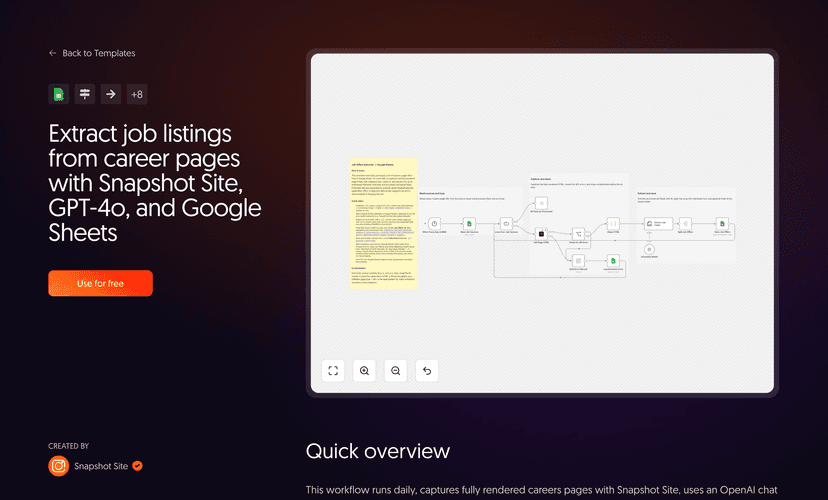
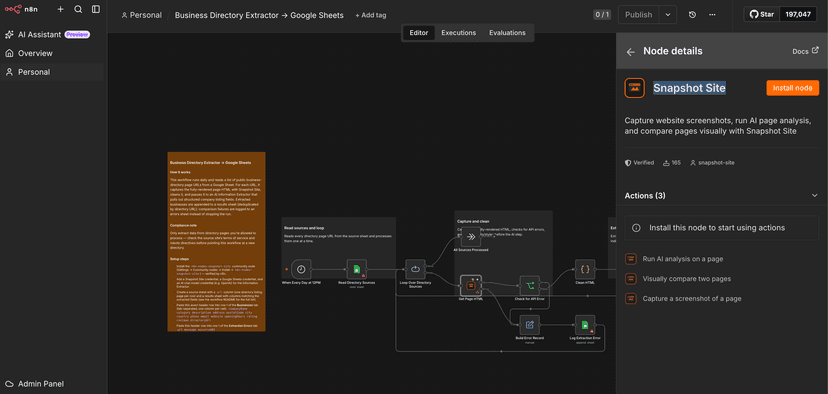
Here's the workflow running end to end — from a listing URL to structured rows in a spreadsheet:
What the workflow does
The template runs on a schedule — daily at 2 PM UTC in the shipped version — and walks through a straightforward pipeline:
- Reads source URLs from a Google Sheet. A
Property Sourcestab holds one property listing page URL per row. - Captures each page's rendered HTML with Snapshot Site. The
Get Page HTMLnode calls the Screenshot operation withformat: "html",fullSize: true, and a 5-seconddelayso JavaScript-rendered details have time to settle before capture. - Cleans the HTML. A Code node strips
<script>,<style>,<svg>, and comments, collapses whitespace, and truncates to a sane character budget before anything reaches the model. - Extracts structured fields with AI. n8n's Information Extractor, backed by an OpenAI chat model, reads the cleaned page and returns an array of listings — title, property type, sale or rent, price, currency, surface, rooms, bedrooms, energy rating, address, agency, and more.
- Splits and upserts into Google Sheets. The array is split into individual records and written to a
Listingstab with an append-or-update that matches onlistingUrl, so re-running the workflow updates existing rows instead of duplicating them. - Logs failures without stopping. If a capture fails, the workflow builds an error record and writes it to a separate
Extraction Errorstab, then continues to the next URL. One bad page never sinks the whole run.
To be clear about the division of labour: Snapshot Site's job here is capturing the fully-rendered page. The field extraction — turning that HTML into structured listing records — is done by OpenAI through n8n's Information Extractor node. Snapshot Site provides the reliable rendered input; the AI does the reading.
Why capture the rendered page instead of scraping the DOM
The whole design rests on one decision: read the page after the browser has finished rendering it, not before. Property portals lean heavily on client-side rendering, so the raw HTML you'd get from a plain HTTP fetch is often a near-empty shell — the price, the photo gallery, the agency contact all get injected later by JavaScript. Capturing the settled, fully-rendered DOM sidesteps that entirely, because by the time Snapshot Site returns the HTML, everything a visitor would see has already resolved.
This is the same argument we made in HTML Scraping vs Screenshot API: Why Pixels Are More Reliable Than the DOM — markup was never a stable contract, and betting your pipeline on a specific div structure is a bet you eventually lose. Rendering first removes the selector from the equation, and pairing that render with an AI reader is exactly the pattern behind Turn Any Rendered Web Page Into Structured Data With the Analyze API. This workflow applies that idea with a custom, listing-shaped schema rather than the analyze endpoint's fixed insight payload — you define the exact fields you want, and the model fills them from what actually rendered.
The extra delay matters more than it looks. Listing pages frequently stream in price and availability after first paint, so a 5-second wait is the difference between extracting a real record and extracting a placeholder.
What you need to set it up
Three credentials, all standard:
- The
n8n-nodes-snapshot-sitecommunity node plus a Snapshot Site API credential (an API key from your account) — this is the verified n8n node that does the rendered-HTML capture. - A Google Sheets OAuth2 credential with read/write access to your source and results spreadsheets.
- An OpenAI API credential for the chat model that powers the Information Extractor.
On the sheet side, create three tabs: Property Sources (a url header in row 1, one listing page URL per row below it), Listings (headers matching the extracted fields, with listingUrl as the dedup key), and Extraction Errors (url, message, occurredAt). Import the template, attach your credentials, point the Google Sheets nodes at your spreadsheet, and activate.
Where it fits
This template is a close cousin of the scheduled monitoring pattern in Automate Website Change Monitoring with n8n and Slack — same idea of a workflow that watches pages on a schedule so nobody has to check by hand, just aimed at extraction instead of change detection. The Clean HTML then Information Extractor pattern is deliberately generic, too: swap the schema and the source URLs and the same skeleton pulls job postings, product catalogs, or event listings into a sheet just as well.
One practical note before you point it anywhere: property portals frequently restrict automated extraction in their terms of service. Check the source site's terms and robots.txt before adding it as a source, and only process pages you're allowed to.
If you want to build listing extraction that survives the next portal redesign, start by capturing the rendered page — grab an API key from Snapshot Site and drop this template into your n8n instance today.