Rate Limits, Retries, and Batching: Best Practices for High-Volume Screenshot API Usage

Snapshot Site Team
10 Jun 2026 - 04 Mins read
If you are capturing a handful of screenshots a day, rate limits are background noise. If you are running a bulk site audit, monitoring dozens of competitor or partner pages on a schedule, or generating a stack of report snapshots in one pass, they become part of your architecture whether you planned for it or not.
None of this is exotic. It is the same problem every team hits the first time a script goes from "run it once by hand" to "run it against a few hundred URLs on a cron job." The good news is that a handful of practical habits cover almost every failure mode.
Respect 429s Instead of Fighting Them
When a request exceeds the limit tied to your API key, the API returns an HTTP 429. That response is not an error to paper over — it is the API telling you exactly how to behave.
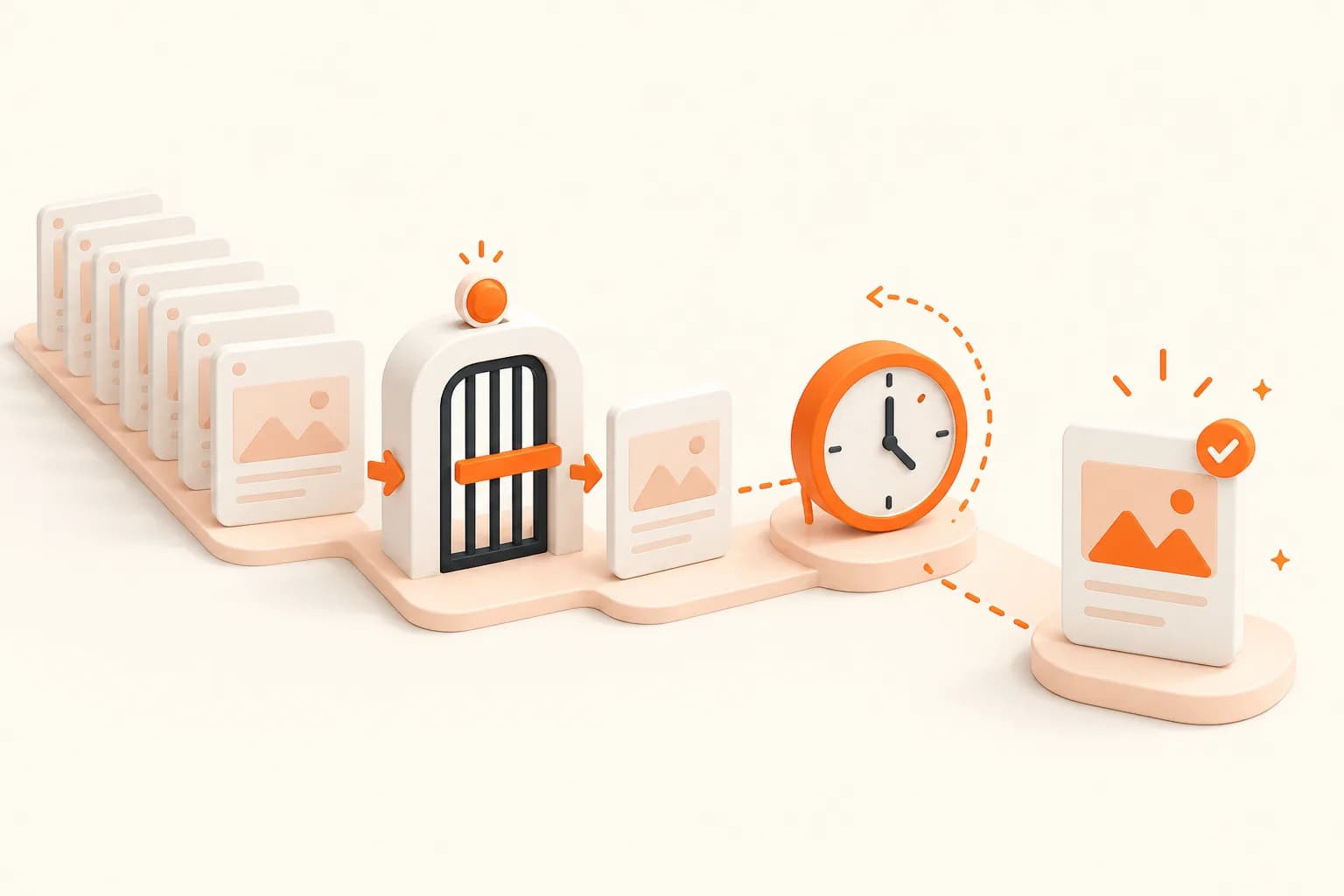
- Back off exponentially, not linearly. Retrying immediately after a 429 just recreates the same contention a moment later. Doubling the wait between attempts gives the limit window time to actually reset.
- Add jitter to your backoff. If a batch of requests all get throttled at once and all retry on the same fixed schedule, they collide again. A small random offset spreads retries out so they do not re-trigger the same wall.
- Cap your retry count. A 429 means "slow down," not "never mind." After a reasonable number of backed-off attempts, log the URL and move on rather than looping forever.
Cap Concurrency Before the API Has To
The most reliable way to avoid 429s in bulk jobs is to never send more concurrent requests than your plan can absorb in the first place.
- Set a concurrency limit in your own code, not just a request-per-second target. Ten workers firing as fast as possible will burst well past a sustainable rate even if the average looks fine.
- Treat the limit as a client-side budget, not just a server-side rule you react to. If you know roughly what your plan supports, throttle to comfortably under it so 429s become the exception, not the normal flow control.
- Scale concurrency down, not just retries up, when you see throttling. If you are consistently hitting the limit, that is a signal to lower your worker count, not just retry harder.
Batch Smartly, Not All at Once
High-volume capture jobs are almost always "loop over a list of URLs," and how you structure that loop matters more than any individual request.
- Use the official CLI or an SDK instead of hand-rolled HTTP calls.
@snapshot-site/cliand the TypeScript, Python, and PHP SDKs wrap the same screenshot, analyze, and compare operations you would otherwise be reimplementing — retry logic, request shaping, and response parsing included. - Process the URL list in controlled chunks. A worker pool with a fixed concurrency limit — say, processing a batch of URLs at a time — gives you predictable throughput and an easy place to slot in backoff logic when a 429 shows up mid-batch.
- Keep the batch runner idempotent. If a job partway through a few hundred URLs fails and restarts, it should be able to skip what already succeeded rather than reprocessing everything from the top.
Lean on Caching Instead of Re-Requesting
The analyze endpoint's response includes a fromCache boolean, which tells you whether the API served a previously-captured result instead of re-rendering the page. That is a free efficiency win if your batch logic takes advantage of it.
- Don't re-request a URL you just captured moments ago. If your job structure means the same URL could show up twice in a short window — say, a retry loop and a scheduled run overlapping — check whether you actually need a fresh render before firing another request.
- Check
fromCachein your logs, not just the screenshot output. If a large share of your batch is coming back as cached, that is useful signal that you can safely space out your polling interval for that content. - Treat cache hits as a reason to relax, not tighten, your request pacing. A cached response is cheap for the API to serve, but it is still a request against your limit — so avoid firing redundant ones purely out of habit.
Separate Real Failures From Throttling
Not every failed request is a rate limit problem, and treating them the same way hides real bugs.
- Log 429s separately from 4xx/5xx errors. A malformed URL, an unreachable site, or a genuine server error will not fix itself no matter how long you back off — retrying it forever just wastes time and obscures the actual problem.
- Alert on error patterns, not retry counts. A spike in 429s usually means your concurrency is too aggressive. A spike in other errors usually means something is actually broken upstream, on the target site, or in your own request payloads.
- Keep a dead-letter list. URLs that fail after your retry budget is exhausted should land somewhere visible so a human can look at them, rather than silently dropping out of the batch.
None of this requires exotic infrastructure — just a request loop that respects backoff, keeps concurrency bounded, batches through the CLI or SDKs instead of raw HTTP, and treats caching and error logging as first-class parts of the job rather than afterthoughts. If you are running capture jobs at this kind of volume, Snapshot Site is built to handle the workload — check the plans page for what fits your usage.
Related high-volume API resources
Apply screenshot API best practices, error handling, the CLI, TypeScript SDK, API documentation, and pricing before increasing concurrency.
Start a free controlled batch with an explicit worker limit and retry budget.
Frequently asked questions
What does HTTP 429 mean?
The account or request flow has exceeded an allowed rate. Slow down, honor server guidance, and retry later only within a bounded policy.
Should a worker retry immediately?
No. Use exponential backoff with jitter so multiple workers do not collide again at the same moment.
How should concurrency be chosen?
Start below the known service and application capacity, measure latency and throttling, and adjust the worker pool deliberately.
Why does idempotency matter?
A timeout or retry can repeat work after the first attempt succeeded. A stable logical job identity prevents unexplained duplicate artifacts.
Should every failed request be retried?
No. Validation and authentication failures require correction. Retry only temporary rate, network, or provider conditions.
What should a batch dashboard show?
Track queued, running, ready, retrying, and terminal jobs; attempts; latency; rate responses; and the oldest unfinished work.